

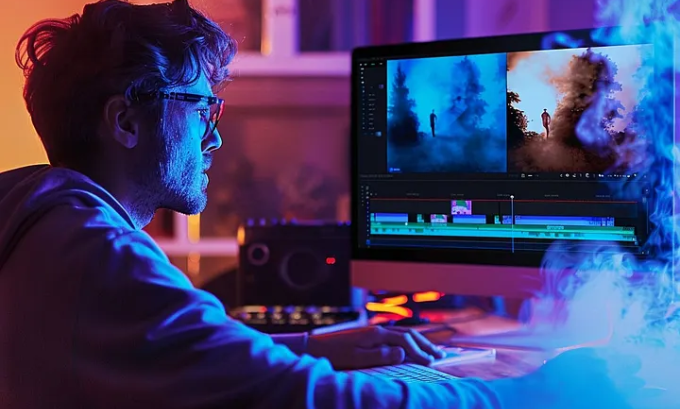
Learn how to choose the right video editing software for beginners, with step-by-step guidance and practical examples.
Starting with video editing can feel overwhelming, but modern beginner-friendly tools make creating polished videos much easier. This guide highlights the best video editing software for beginners, including detailed insights on PowerDirector, DaVinci Resolve, CapCut, Movavi Video Editor, and their key features like motion tracking, Magic Cut, Fusion, Fairlight, and lens flare presets.
For more in-depth AI-based editing tips, check tutorials from TechBullion or explore courses at Ponta Tech Mahindra University.
Table of Contents
Best Software for Beginners
If you want the fastest results with minimal learning curve:
- PowerDirector — ideal for fast, cinematic edits with professional effects
- CapCut — best for mobile content creators using AI-powered Magic Cut
- DaVinci Resolve — perfect for beginners planning to grow into professional VFX and audio production
Learn more about AI video creation tools at MindJournal.
Why Choosing the Right Software Matters for Beginners
A suitable editor helps beginners:
- Edit efficiently without confusion
- Explore creativity freely
- Learn advanced techniques over time
- Produce professional-looking videos immediately
For AI-assisted editing resources, visit MumbaTimes Meta AI Guide.
PowerDirector — Beginner-Friendly Editing Made Simple
Ideal for: Fast, cinematic edits without steep learning curves
PowerDirector is a favorite among beginners for its easy-to-navigate interface, drag-and-drop editing, and professional features like motion tracking and lens flare presets.

Strengths:
- Super-fast rendering
- Drag-and-drop interface
- Cinematic effect library
- Beginner-friendly workflow
Areas to Improve:
- Some effects require separate downloads
- Interface may feel busy at first
Real-life example: Many new creators produce polished videos in a single session using PowerDirector’s intuitive tools. Tutorials available at Ponta Tech Mahindra Twingo.
DaVinci Resolve — Professional Growth for Beginners
Ideal for: Learners planning to advance into pro-level editing
DaVinci Resolve from Blackmagic Design combines editing, Fusion VFX, and Fairlight audio, offering a free professional-grade experience. Its beginner-friendly “Cut Page” allows newcomers to start editing immediately.
Strengths:
- Free professional tools
- Advanced Fusion for visual effects
- Fairlight audio for post-production
- Industry-standard color grading
Areas to Improve:
- Requires powerful computers
- Slight learning curve
Discover AI video tools and professional workflows at MindJournal AI Tools.
CapCut — AI-Enhanced Mobile Editing
Ideal for: Social media content creators
CapCut, powered by ByteDance, provides Magic Cut, auto captions, and cloud syncing, enabling fast and efficient video creation on mobile.
Strengths:
- Mobile-first design
- AI-powered Magic Cut for auto-editing
- Social media templates
- Beginner-friendly workflow
Areas to Improve:
- Limited cinematic tools
- Ads appear in the free version
Learn more about Meta AI features at MumbaTimes Guide
Movavi Video Editor — Simple and Lightweight
Ideal for: Casual editors seeking easy-to-use software
Movavi offers a clean interface, VFX packs, and built-in LUTs, perfect for beginners on low-end devices.
Strengths:
- Lightweight and fast
- Clean, simple UI
- Fun VFX packs for creativity
Areas to Improve:
- Lacks advanced VFX/audio features
- Limited professional-grade control
For beginner coding and editing resources, explore Gogonihon Best Coding Courses.
Comparison Table of Top Beginner Editors
| Software | Skill Level | Key Features | Best For | AI Tools | Heavy Features |
|---|---|---|---|---|---|
| PowerDirector | Beginner | Motion tracking, lens flare presets | YouTube, vlogs | Yes | Medium |
| DaVinci Resolve | Beginner–Pro | Fusion VFX, Fairlight audio | Cinematic & professional edits | Limited | High |
| CapCut | Absolute Beginner | Magic Cut, mobile editing | TikTok & Shorts | Very Strong | Low |
| Movavi | Beginner | Clean UI, VFX packs | Personal projects | Moderate | Medium |
FAQ
1. What is the easiest video editing software for beginners?
PowerDirector balances simplicity with professional features.
2. Can I create YouTube content with CapCut?
Yes, especially for mobile-friendly short videos.
3. Is professional editing possible with free software?
DaVinci Resolve offers pro-level editing at no cost.
4. How helpful is AI editing for beginners?
AI tools like Magic Cut save time and simplify editing.
5. Which software works on low-end PCs?
Movavi and CapCut web versions are ideal for low-spec devices.
Conclusion
Choosing the best video editing software for beginners depends on your goals:
- PowerDirector → Fast, versatile, beginner-friendly
- CapCut → AI-assisted, mobile-first editing
- DaVinci Resolve → Professional development pathway
- Movavi → Lightweight and simple for casual projects
For more tips, AI workflows, and tutorials, visit Ponta Tech Mahindra.
Author Bio
M.H. Munna — Digital Media Editor & Video Workflow Specialist
With 8+ years of experience in editing, AI-driven workflows, and content strategy, I guide beginners in selecting the right tools and mastering video editing professionally.
